Create a structural decomposition of jobs. Use job templates to automate the work.
Assign a person responsible for tasks, monitor the main stages and progress in comparison with the basic plan of your project.
Update schedules by dragging and dropping tasks on the schedule to change deadlines, easily monitor progress (% complete) on tasks in the timeline or in the columns of the task list.
Automate scheduling with dependent tasks: change the deadline for one task, and all dependent tasks will be automatically updated.
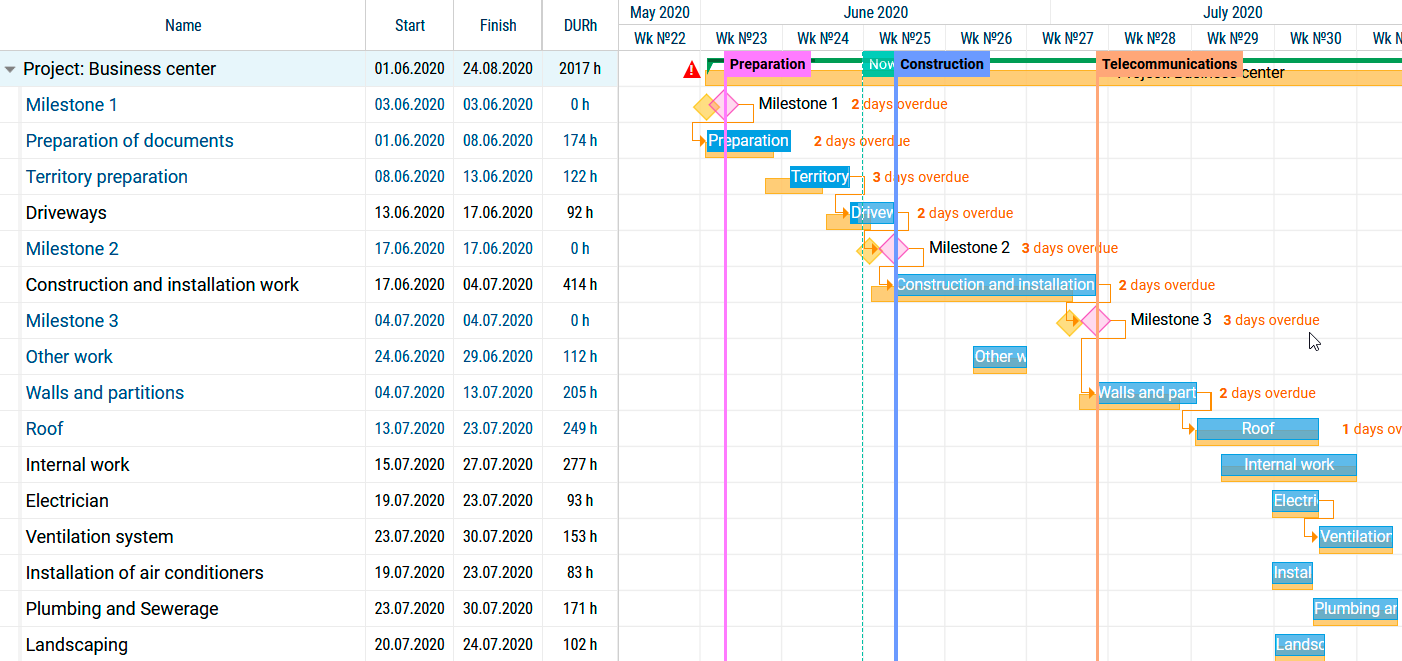
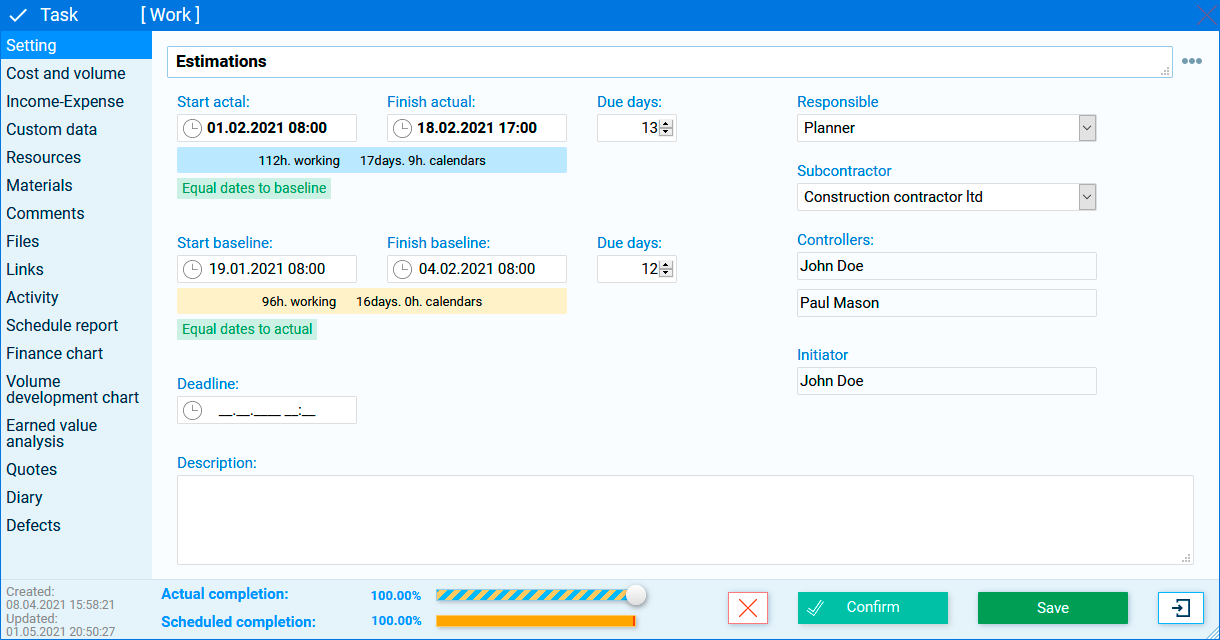
Your construction teams and subcontractors can update their workflow hours from anywhere in the world using mobile devices.
Easy to view and send business hours to managers for approval.
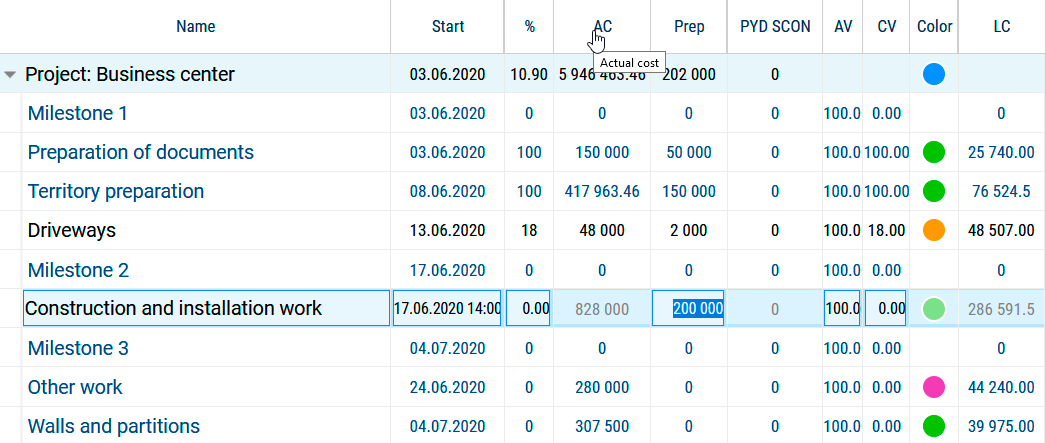
Easily track staff, equipment and materials costs with Project MAP.
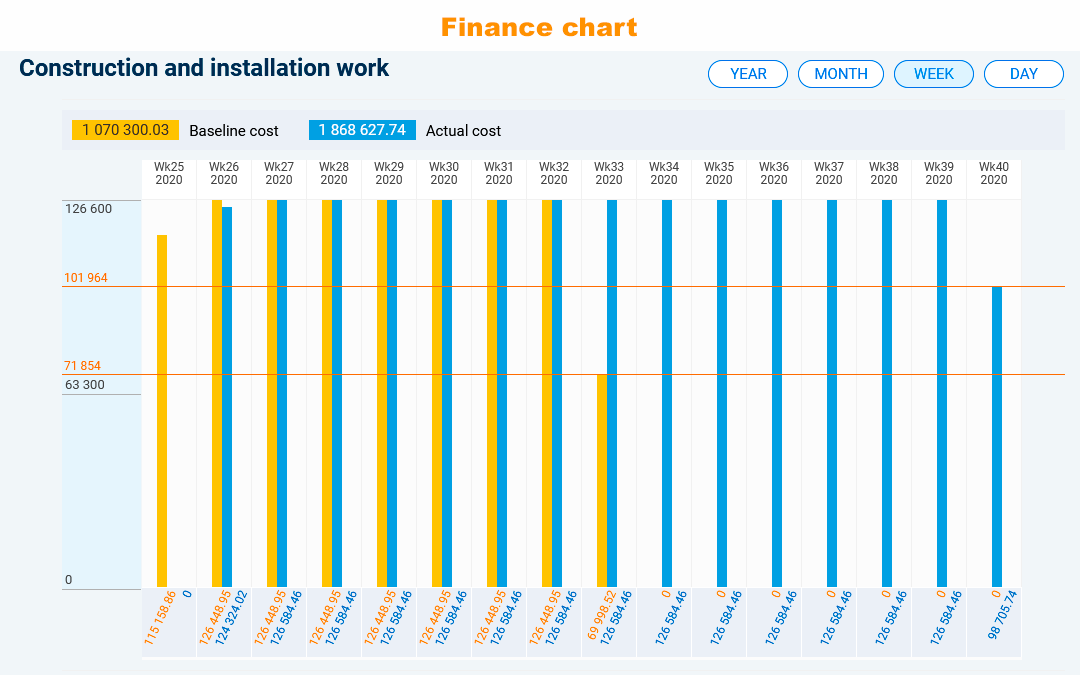
Get real-time expense information with easy-to-read charts and graphs.
Manage cost and distribution in real time.
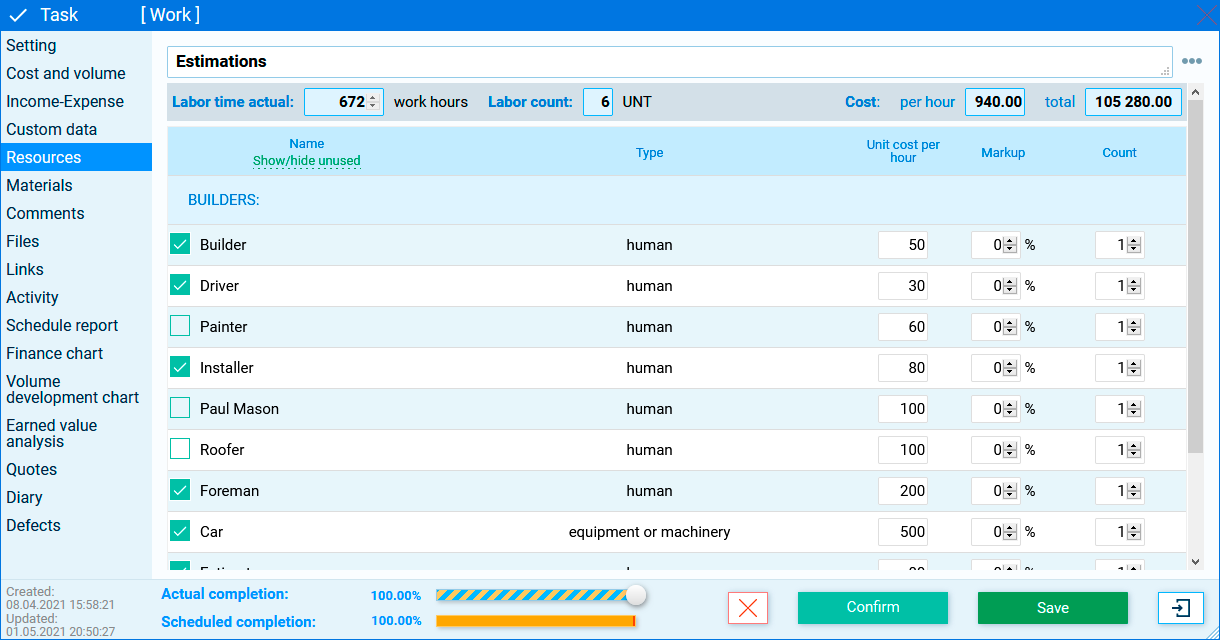
You can easily change the supplier, adjust the % markup, for your benefit.
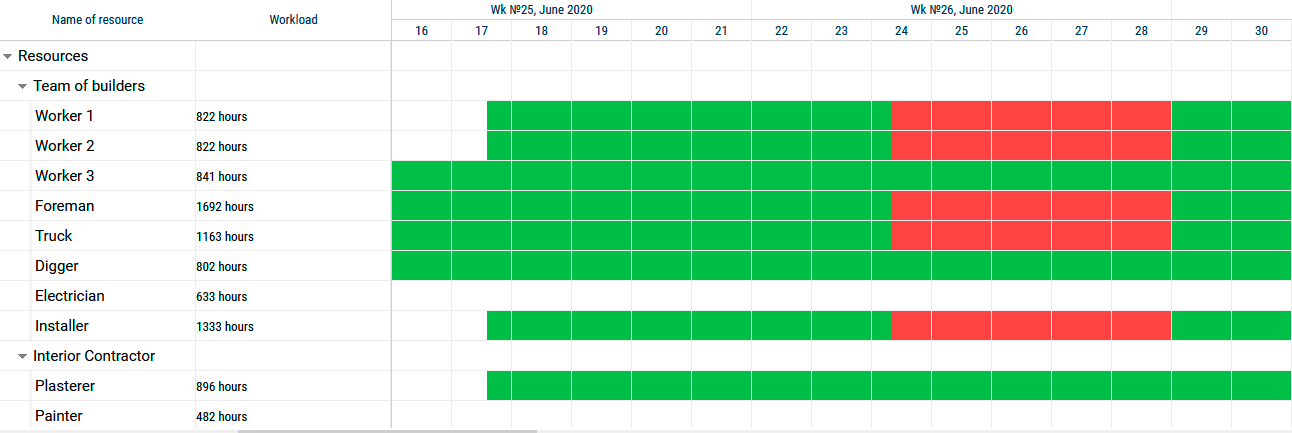
Display the resource panel to see the workload.
Distribute resources in a way that avoids collisions and overloading resources.
Control tasks where the same resources are used.
Get reports with data on workload and costs for completed work with the possibility of detailing for each work, for a specific period.
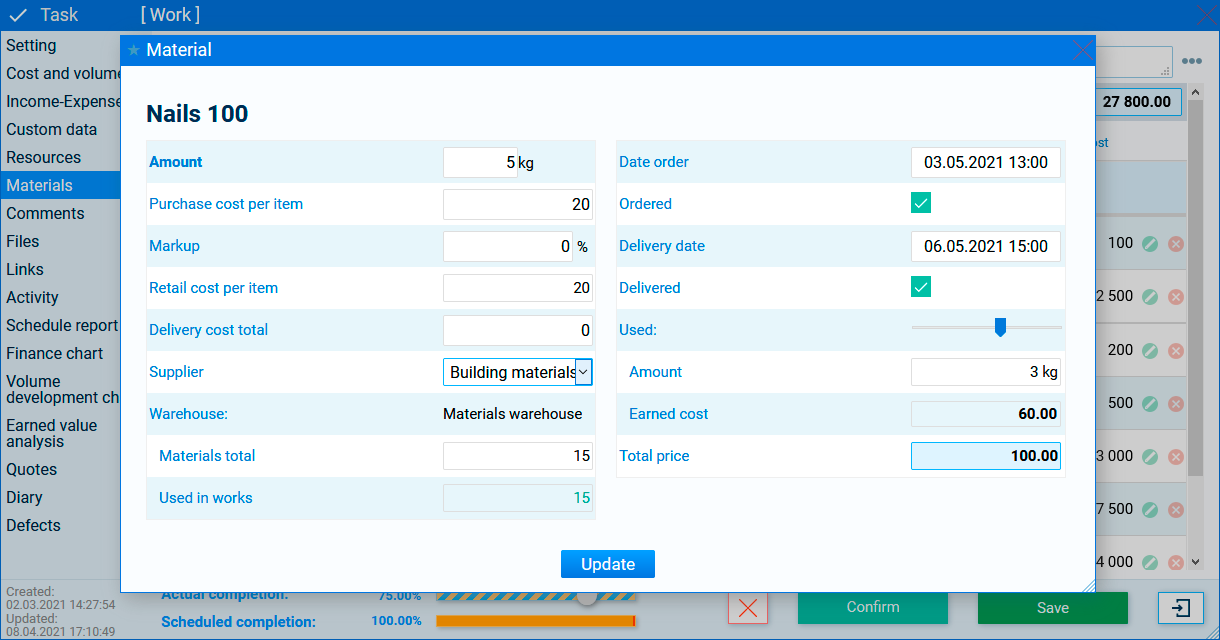
Use a centralized material database to automate your work.
Import data from MS Excel for quick start.
Build a database of suppliers and manufacturers. This will help you to track the supply of materials when changing suppliers.
Indicate the information resource you need in your work, indicate the winding coefficients. It’s more convenient to see what and how much you earn.
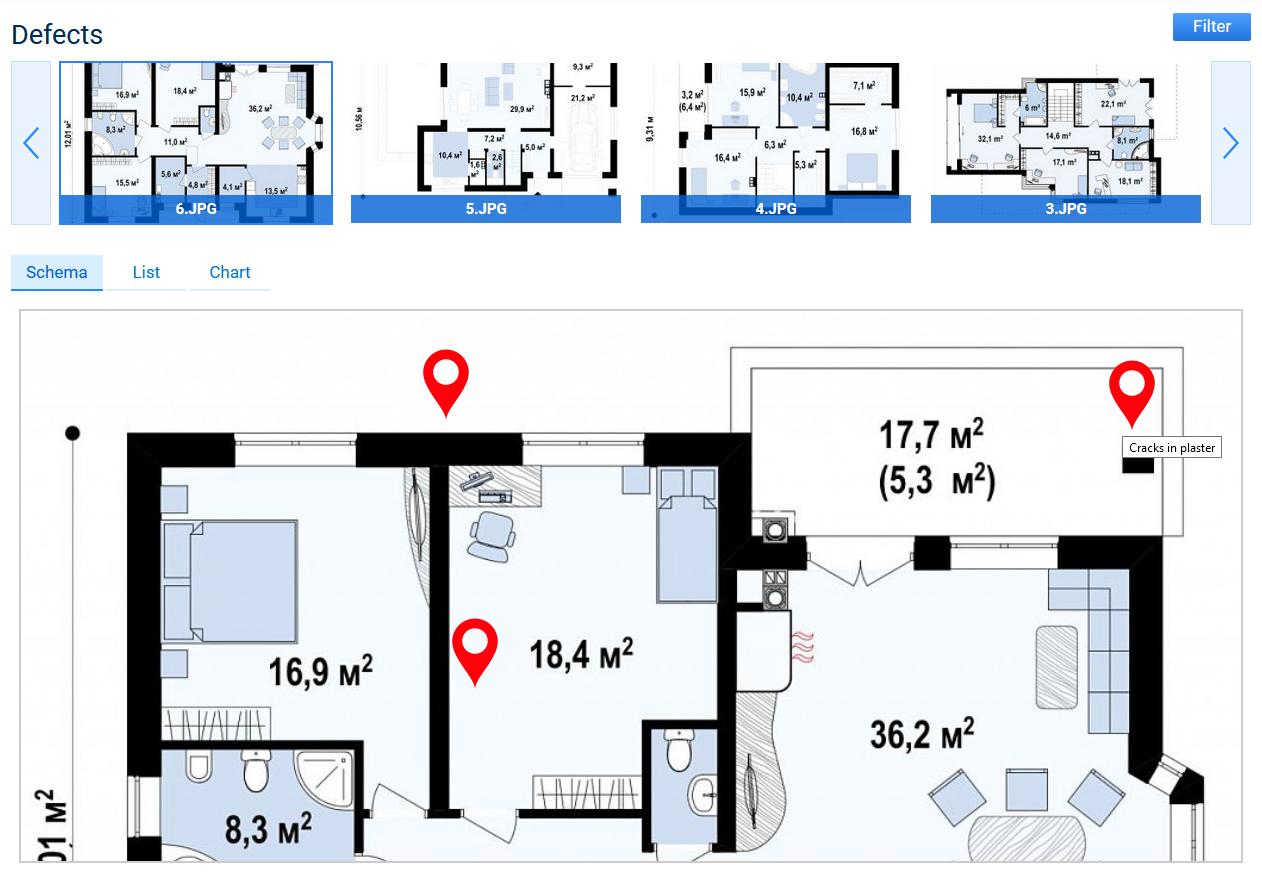
Timely identification and online monitoring of the situation at the construction site will help you in resolving conflict situations with customers
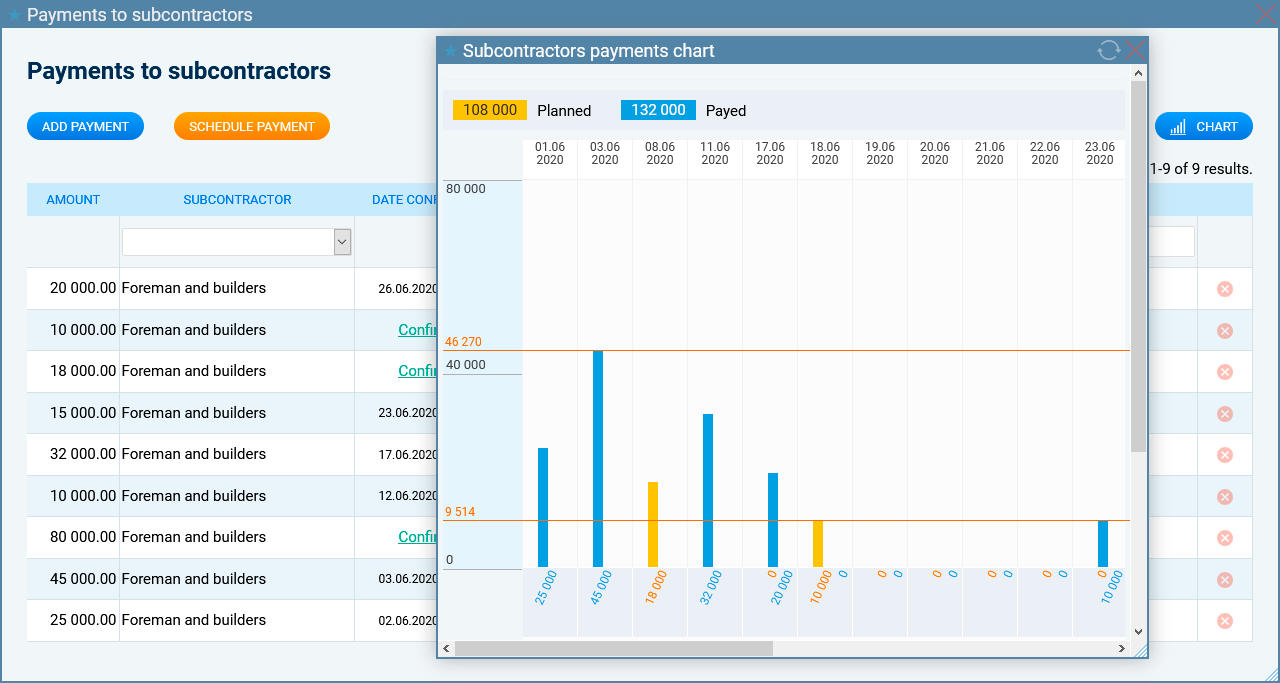
Plan and confirm payments to contractors. A contractor payment schedule will help you to plan your budget.
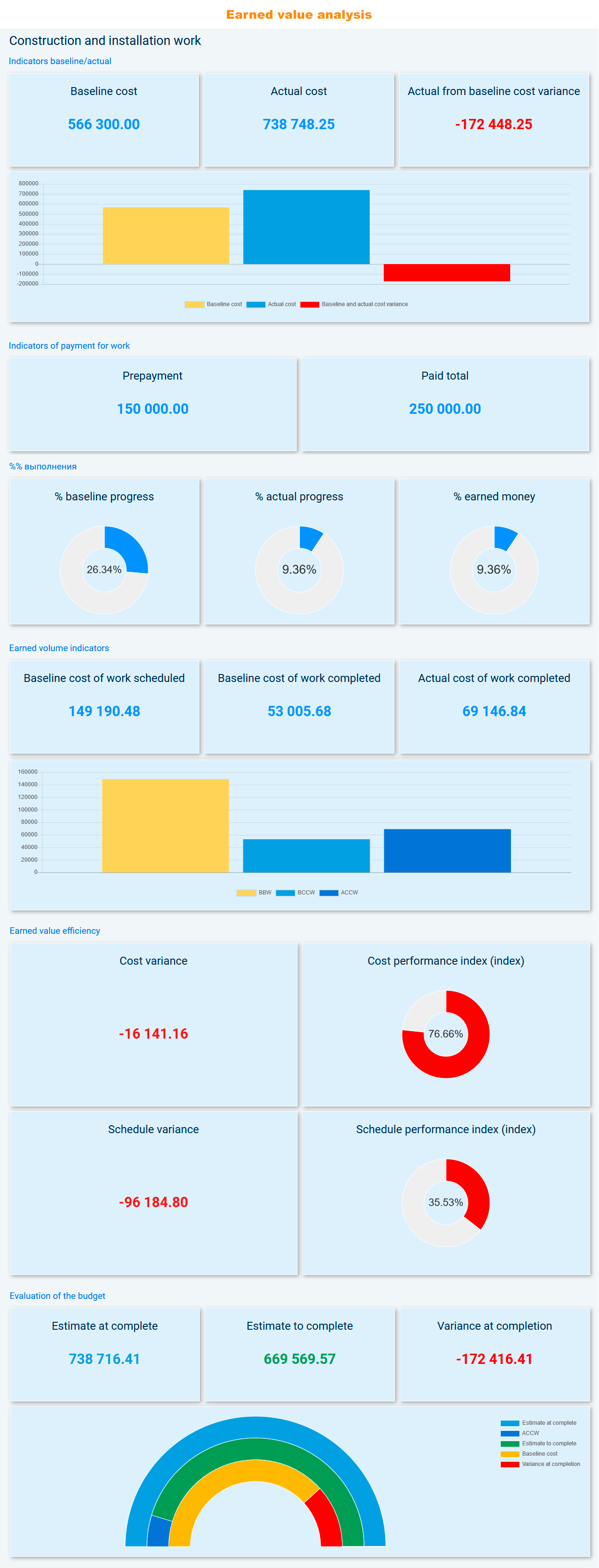
An analysis of the earning indicators helps in assessing the project speed, whether you are in time for the earning of the allocated money, etc.
Get the file storage size that you need, depending on your needs by choosing the appropriate tariff plan.
Book an extra place in the cloud.
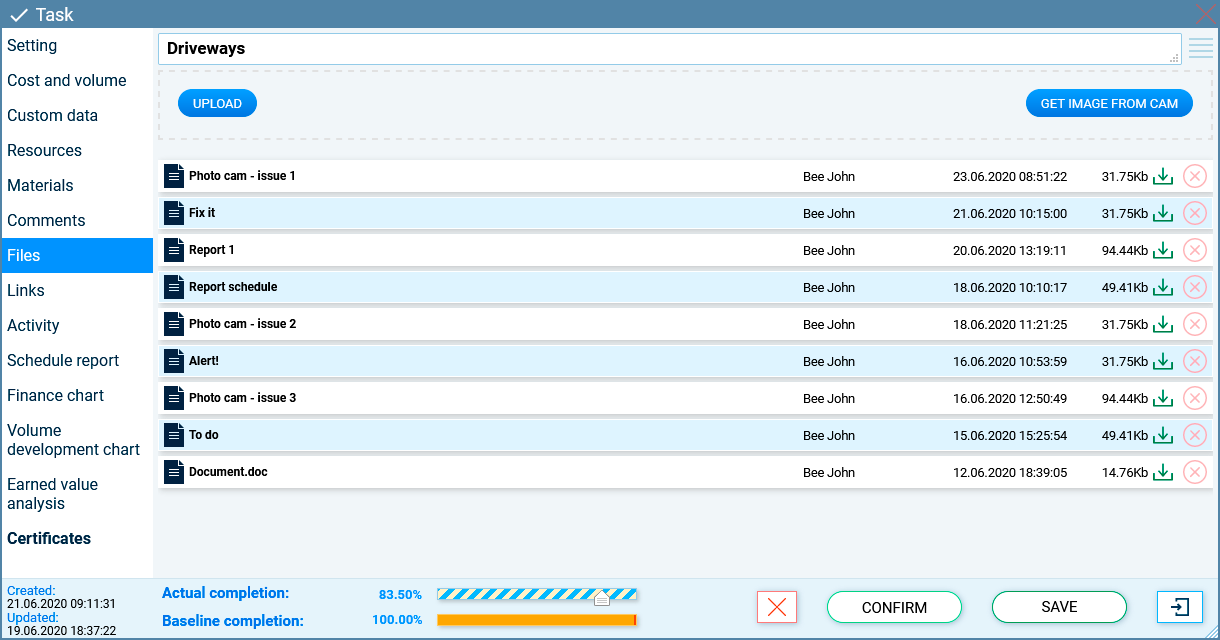
In order not to get confused in the files, you can attach them only to the corresponding tasks, but not to the general storage. Add files for selected participants.
Your estimated documentation, acts of work performed, warranty issues, photo evidence of the performance or non-performance of work by contractors is always at your fingertips.
It is safe and convenient.
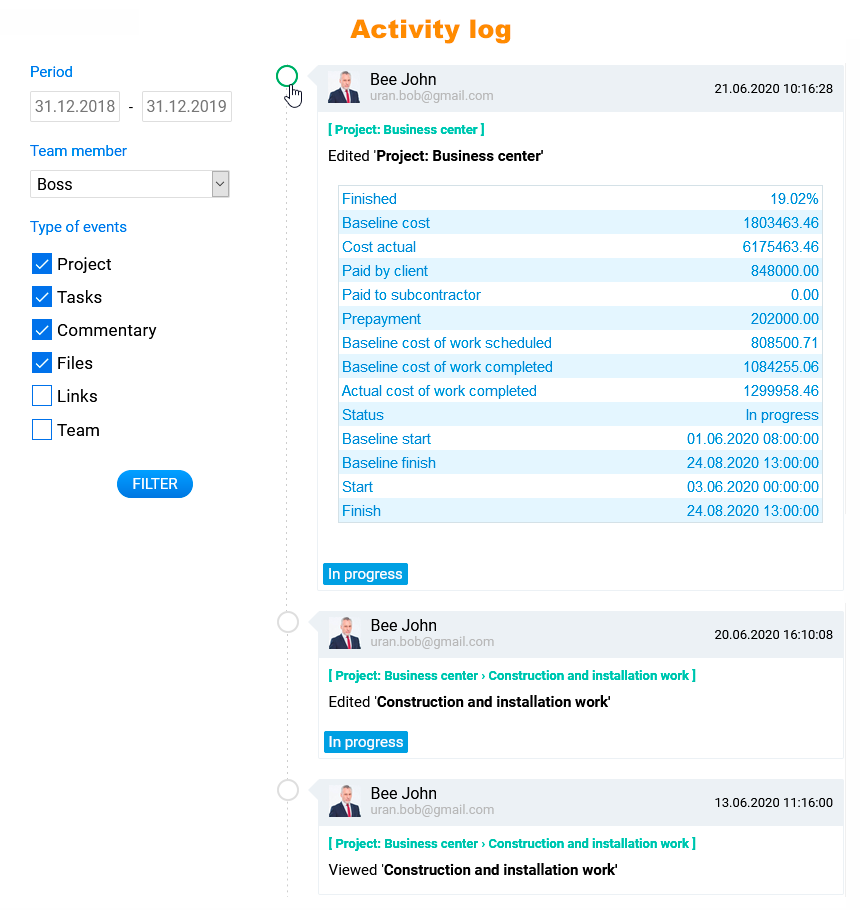
The log contains all the actions of your team in the project.
Analyze activity of participants. Compare ever-changing development information.
Monitor both the team as a whole and its members individually.
Use the "Wizard" to create a variety of reports easily.
You can save the generated reports in the cloud - in your file storage.
Get baseline data for management reporting.
Data visualization helps processes understanding.
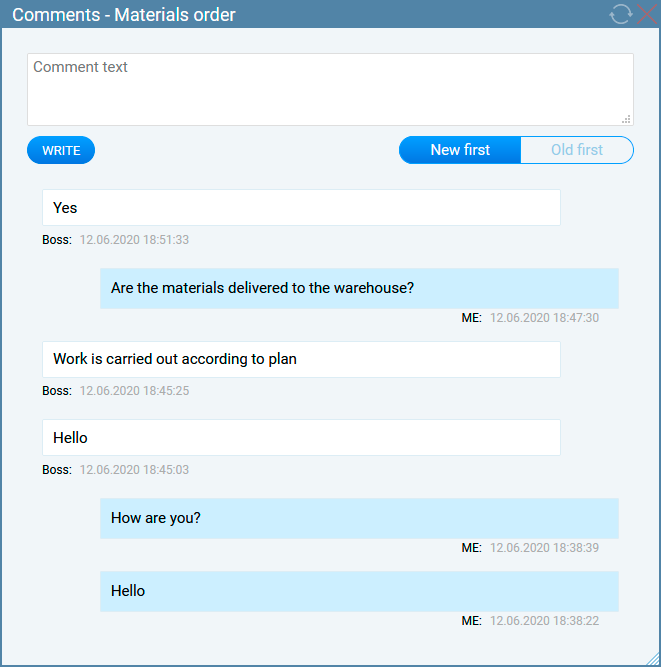
You should definitely have a dialogue with the project team, especially if it is distributed and located in different offices.
Inform the construction customer about how the work is going.
Write comments on tasks as you progress. Demonstrate the tasks progress to the initiator and to the controllers, find out ambiguous situations, this all willl be recorded in the task history, and you can always find the necessary information in the history at any time after the task start.
You can document the correctness of the decisions you made, and no one can accuse you of inaction or negligent management.
Dialogue and openness always inspire customers confidence.
And that's not all, but we hope it is enough information about the management system and the benefits of its application. Now you can start the first step on the path to successful projects management - to draw up a project plan.
The team of the project management system Project MAP wishes you a successful planning and timely projects completion!